lazyshell
A tmux-like terminal session manager with a lazygit-style two-pane
interface: a list of your shell sessions on the left, the live output of whichever one is
selected on the right.
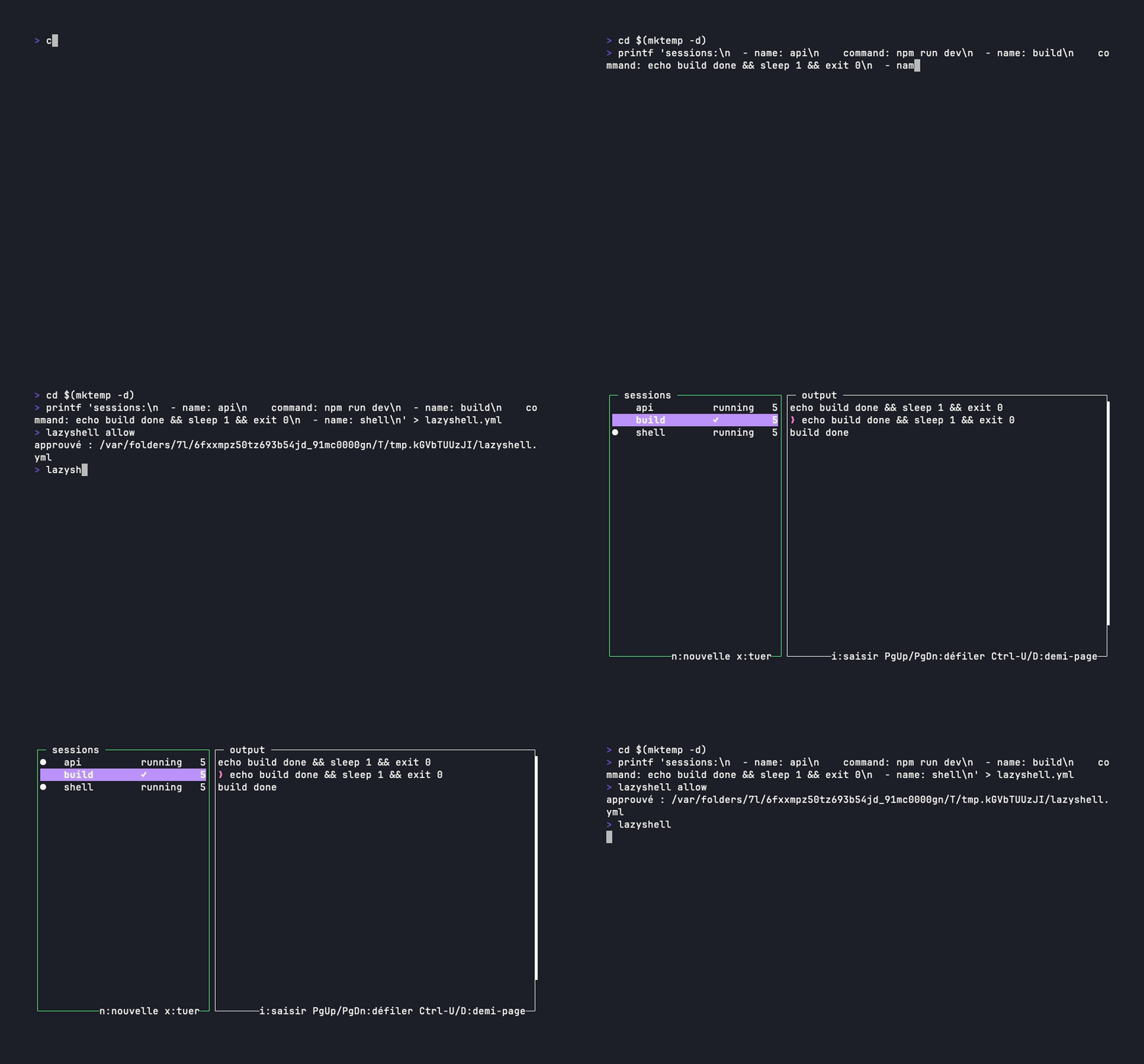
Why lazyshell
Sessions keep running in the background — with their scrollback preserved — even while you're
looking at a different one. The output panel is a real terminal emulator, so
full-screen applications work: vim, htop and less run
inside a session, cursor and colours included.
The difference from tmux fits in one sentence: you don't memorise a grammar of
prefixes, you read a list. Each session is one line, with its status, its PID, its working
directory or the title the shell set — and, for an AI agent session, the fact that it is
waiting on an answer from you.
Quick start
# with Go installed
$ go install github.com/thomas-gleizes/lazyshell/cmd/lazyshell@latest
$ lazyshell
Inside the interface: n opens a session, Tab switches panels, typing goes straight to the shell the moment a session is selected — Ctrl+O (or Esc Esc) locks the panel for scrolling, search or copy-mode, i or Enter gets back to typing, ? shows the full help and q quits. The other install routes are on the installation page.
Highlights
Persistent sessions
Changing the selection stops nothing: the pty and the shell survive, only the display is recycled. An exited session stays listed, ready to restart.
A real terminal emulator
Alternate screen, colours, cursor, resize propagated to the pty: full-screen applications genuinely work inside the panel.
First-class AI agents
claude, codex and opencode are detected with no
configuration, and blocked / done travels all the way to a host-terminal
notification.
Per-session tabs
terminal, resources (CPU, RSS, curves) and environment: what the process is consuming and what environment it started with, without leaving lazyshell.
Project configuration
A versioned lazyshell.yml starts a repository's sessions — each in its own
directory, with its command and its .env files. Approved once, never silently.
Mouse, copy, search
Click, wheel and drag on by default, copy over OSC 52, search through the scrollback, and broadcast one keyboard to several sessions at once.
Where to go next
- Usage — panels, keys, tabs, mouse, broadcast.
- Configuration — file location, precedence, full option reference.
- AI agent sessions — detection, authoritative hooks, notifications.
- Project configuration —
lazyshell.yml,.envfiles, approval. - Development — building, testing, and how the code is laid out.
Platforms. macOS and Linux. Windows is deliberately out of scope: there is no Unix pty, and everything the output panel draws rests on one.